
Project pipeline
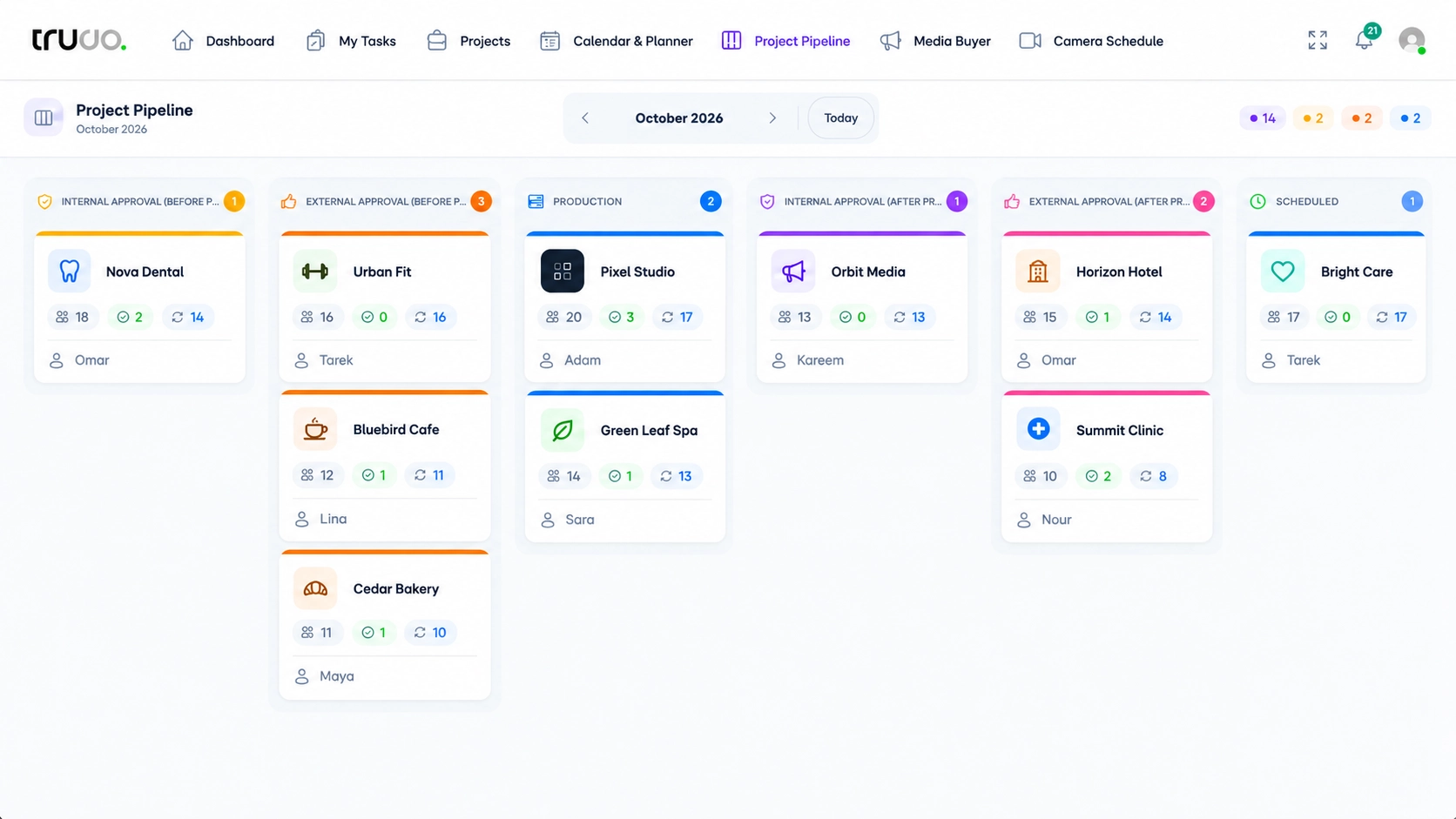
Every client's stage, on one board. Spot the bottleneck before the client does.
Trudo brings client projects, content calendars, approvals, ad tracking and shoot scheduling into one workspace, so nothing slips between the writer, the camera and the client.
One workspace
Stop juggling spreadsheets, chat threads and calendars.
Every client's stage, on one board. Spot the bottleneck before the client does.
Internal and external sign-off before and after production.
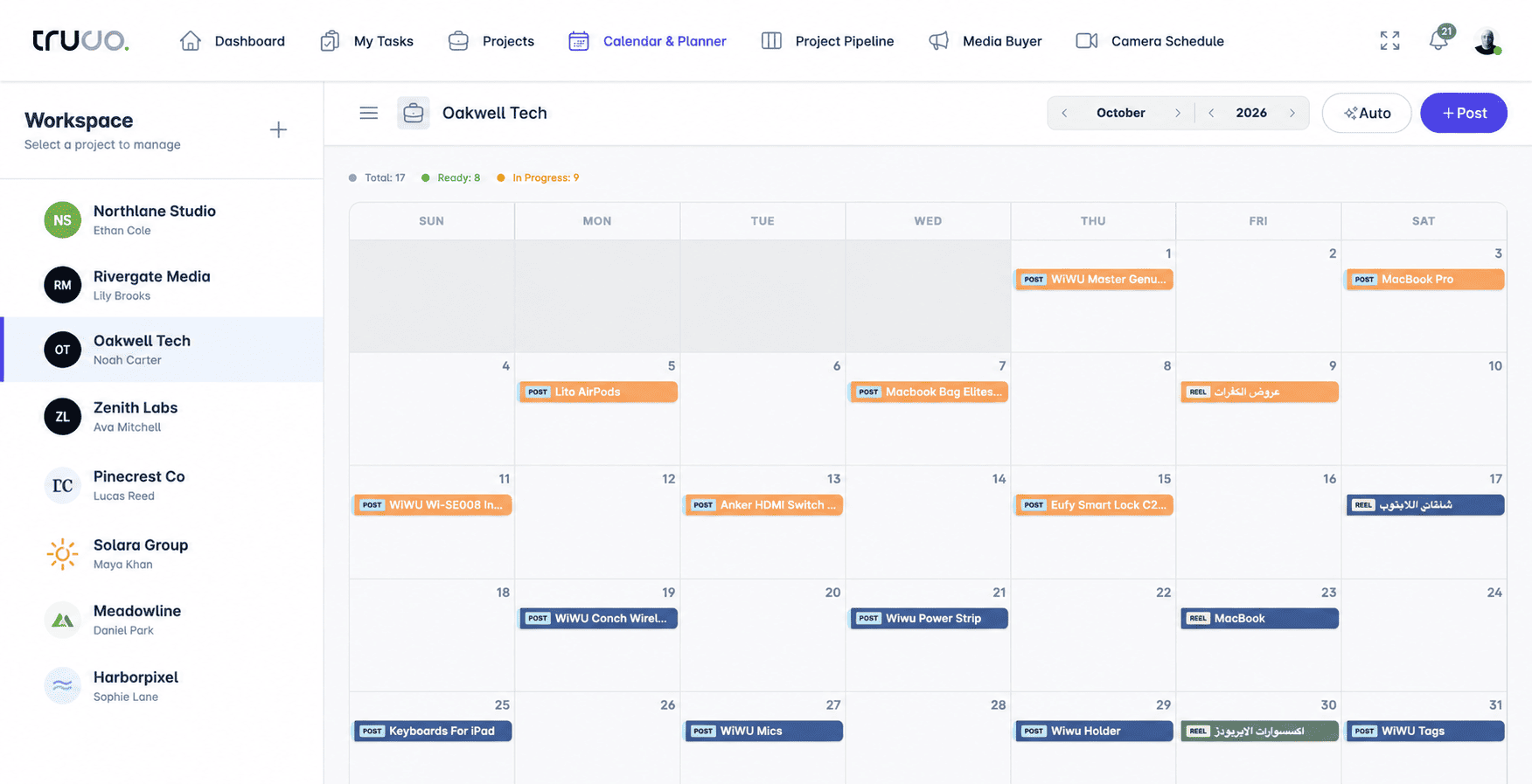
A monthly calendar for every client.
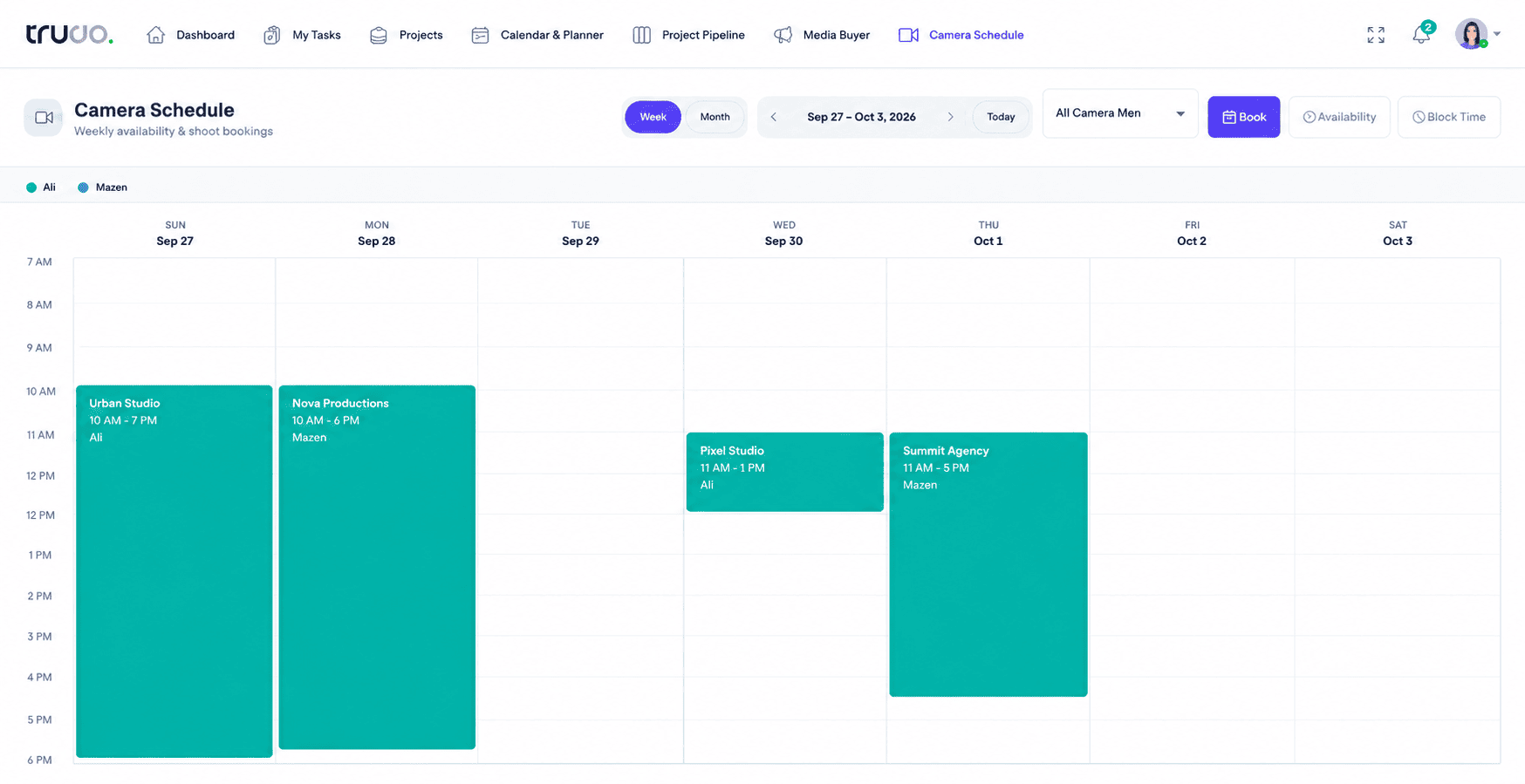
Book shoots without double-booking crews.
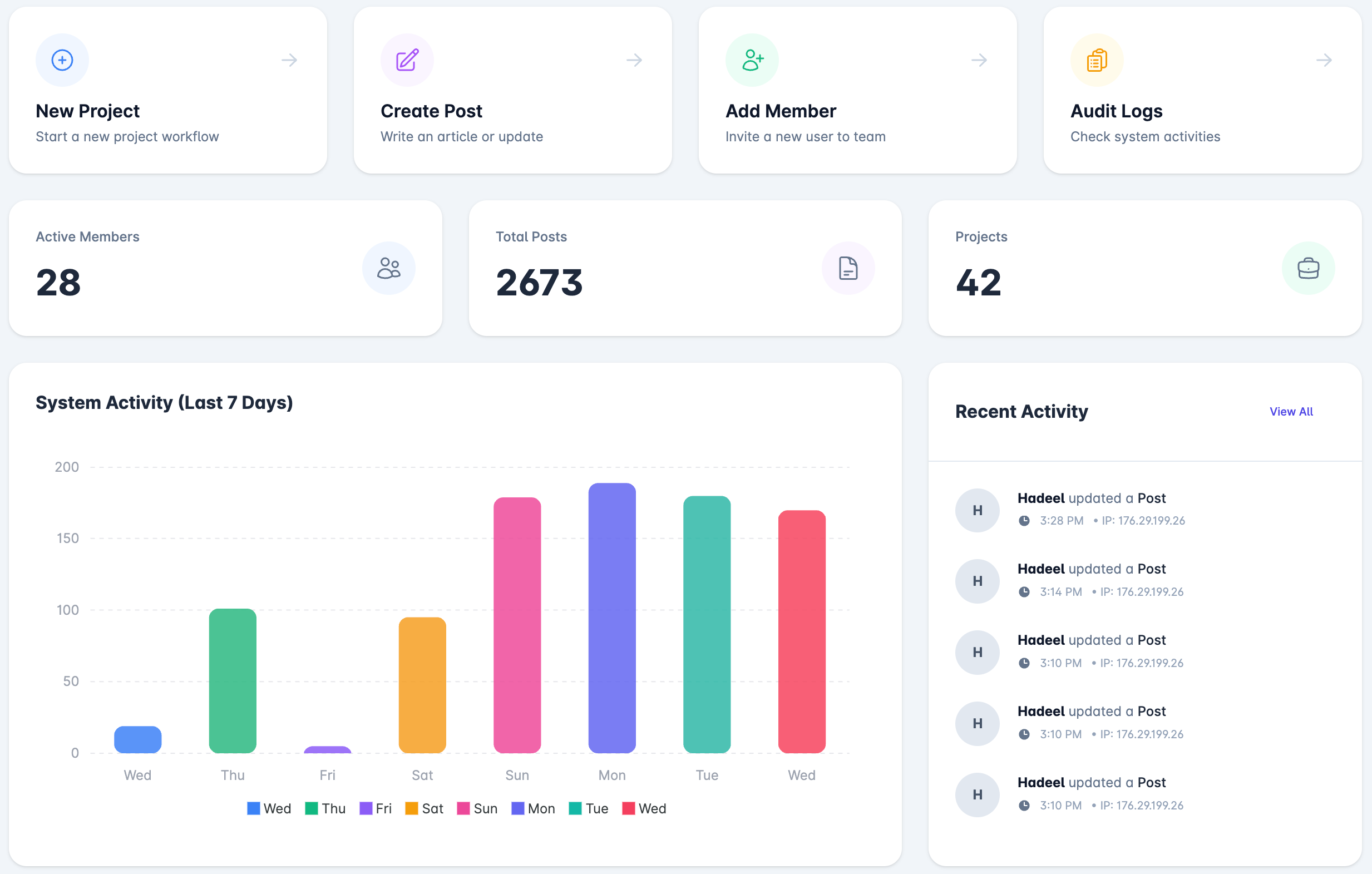
Every change recorded and visible.
Paid campaigns live next to the organic plan, with objective, budget and owner on every one.
Contacts, platforms and account managers, searchable.
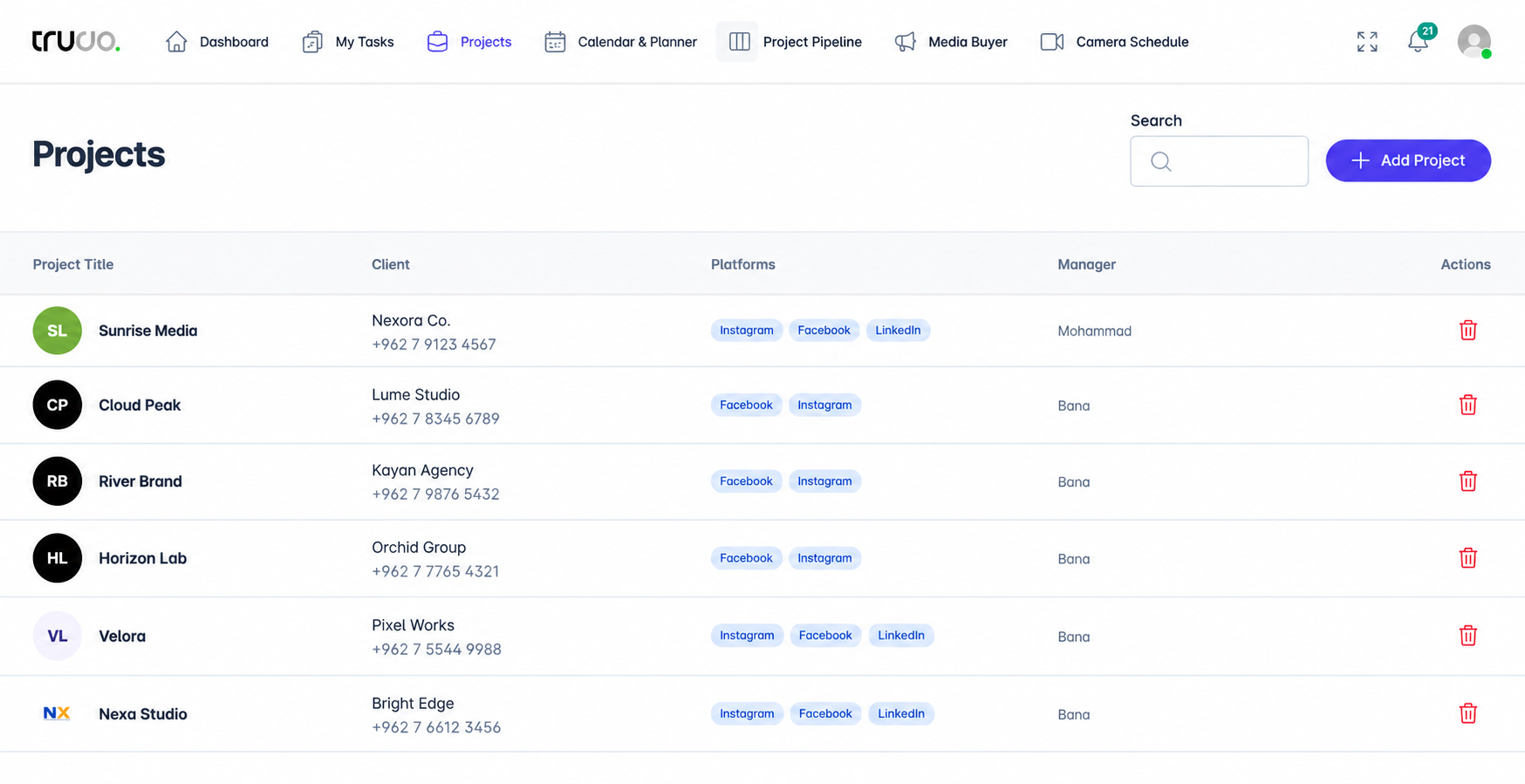
Product tour
Quick actions, team size, post volume and a live activity feed on one screen, the moment you sign in.
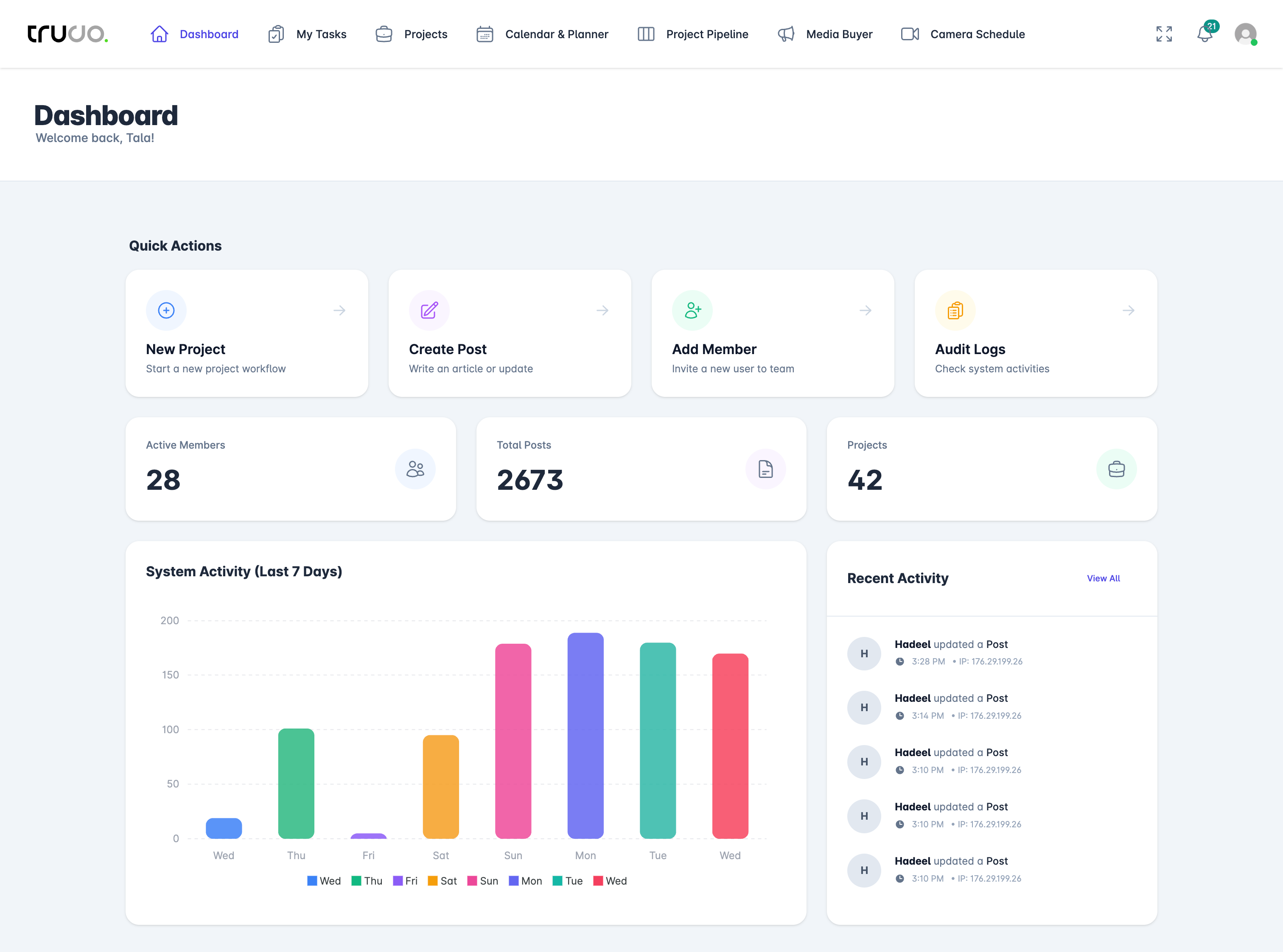
The monthly rhythm
The same clear path for every client, every month.
before production
before production
before production
shoot & edit
after production
after production
queued
live
Trudo is a workflow platform for agencies and in-house teams that produce content for several clients. It connects projects, content calendars, approvals, ad campaigns and shoot scheduling in one place.
Each project lists the platforms you manage for that client, including Facebook, Instagram, LinkedIn and YouTube, and the planner supports posts, reels and other content types.
Every client passes through two approval gates, internal and external, before production and again after production. Nothing is scheduled until the final approval.
Yes. The camera schedule books shoots and camera operators, and the media buyer module tracks campaigns, objectives and budgets per client.
Explore the Demo and we'll walk through Trudo using a workflow that looks like yours.
Tell us how your team works today and we'll show you how it maps to Trudo.
Explore the Demo