
1
Calendar writing
The month's posts are planned and written for the client.
OwnerContent teamOutputDraft calendar
Workflow
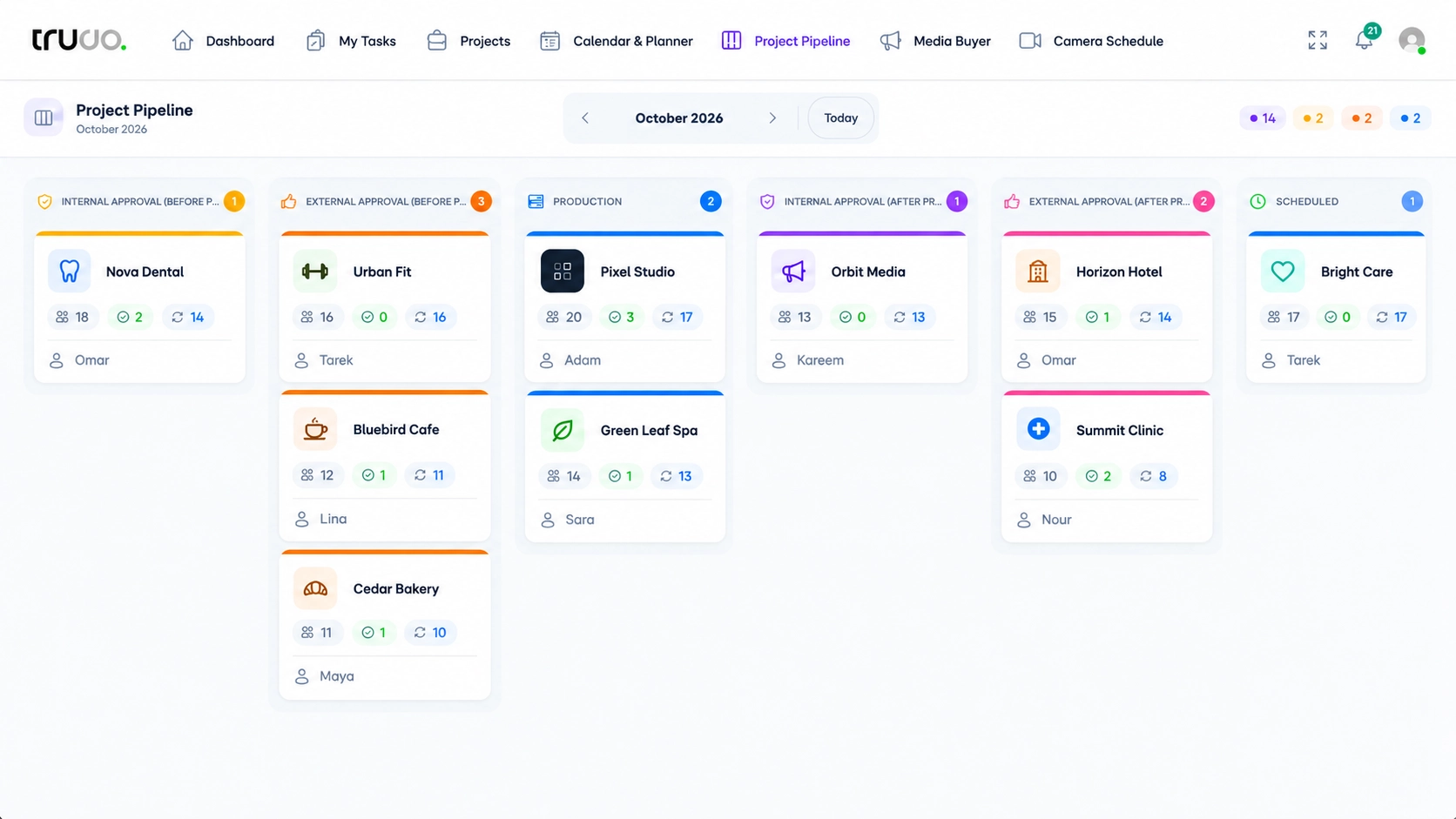
Each client moves through the same eight stages. Approvals happen twice, before and after production, so problems are caught early and cheaply.
Step by step
Scroll through a month, from a blank calendar to live posts.
Calendar writing
The month's posts are planned and written for the client.
The team reviews the calendar before anything goes to the client. Happens before production.
The client signs off on the plan and copy before shooting or designing starts.
Shoots, design and editing, scheduled through the camera schedule.
The finished content is checked in-house. Happens after production.
The client reviews the finished content before it is scheduled.
Approved posts are queued for their publishing dates.
The content is live and the cycle starts again next month.
Two approval gates on both sides of production keep quality and client trust high.
If one stage fills up, the whole team sees it on the board.
The same clear steps for every client, so new team members get up to speed fast.
Every agency works a little differently. Let's talk through yours.
Explore the Demo