
Features
Seven modules. One client list.
Enter a client once and it shows up everywhere: the pipeline, the calendar, the ad plan and the shoot schedule.
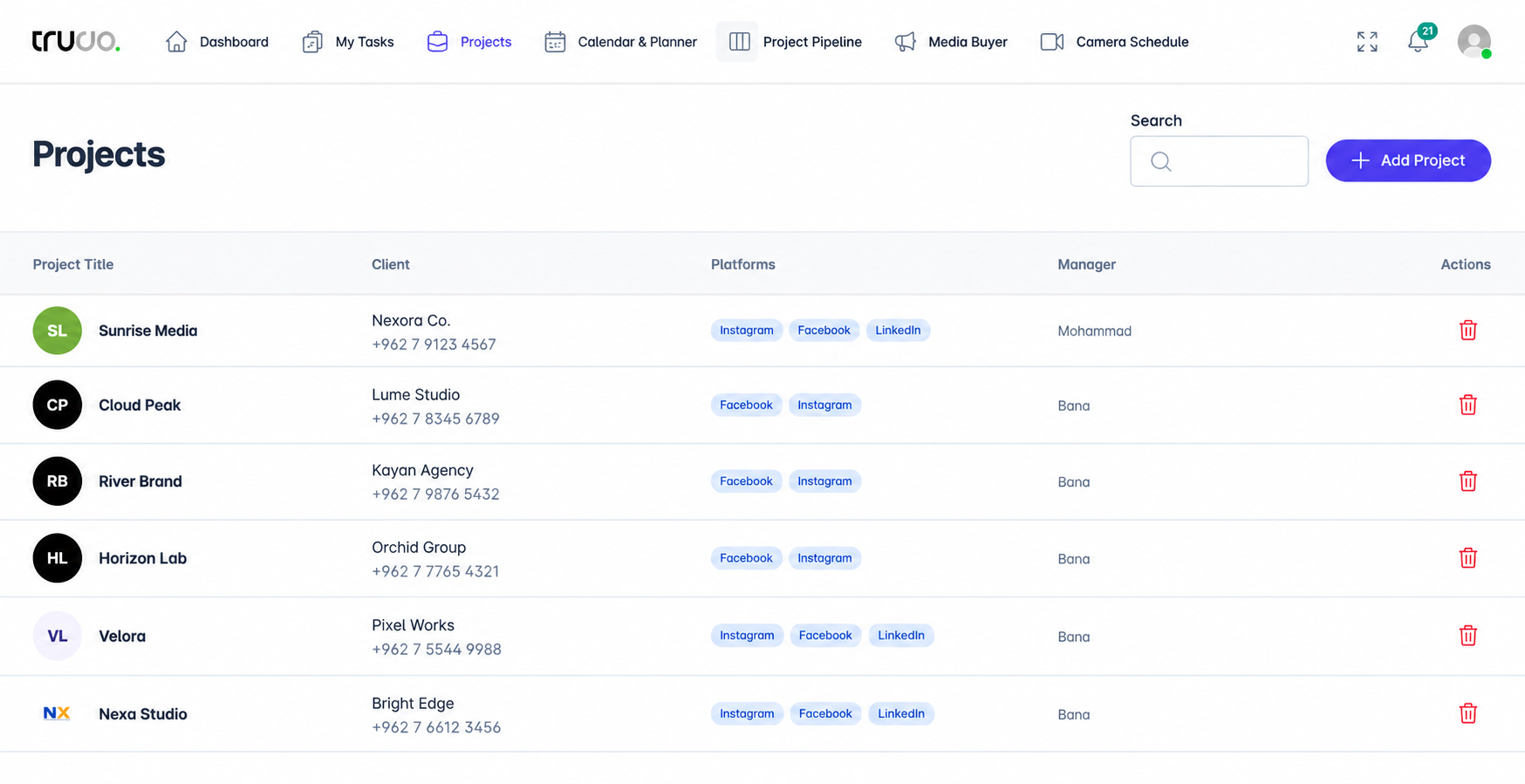
Clients
Every client, one directory
The client list is the backbone of Trudo. Contacts, platforms and account managers live here, and every other module reads from it.
- Client contact and assigned account manager
- Facebook, Instagram, LinkedIn and YouTube per client
- Search and add projects in seconds
Process
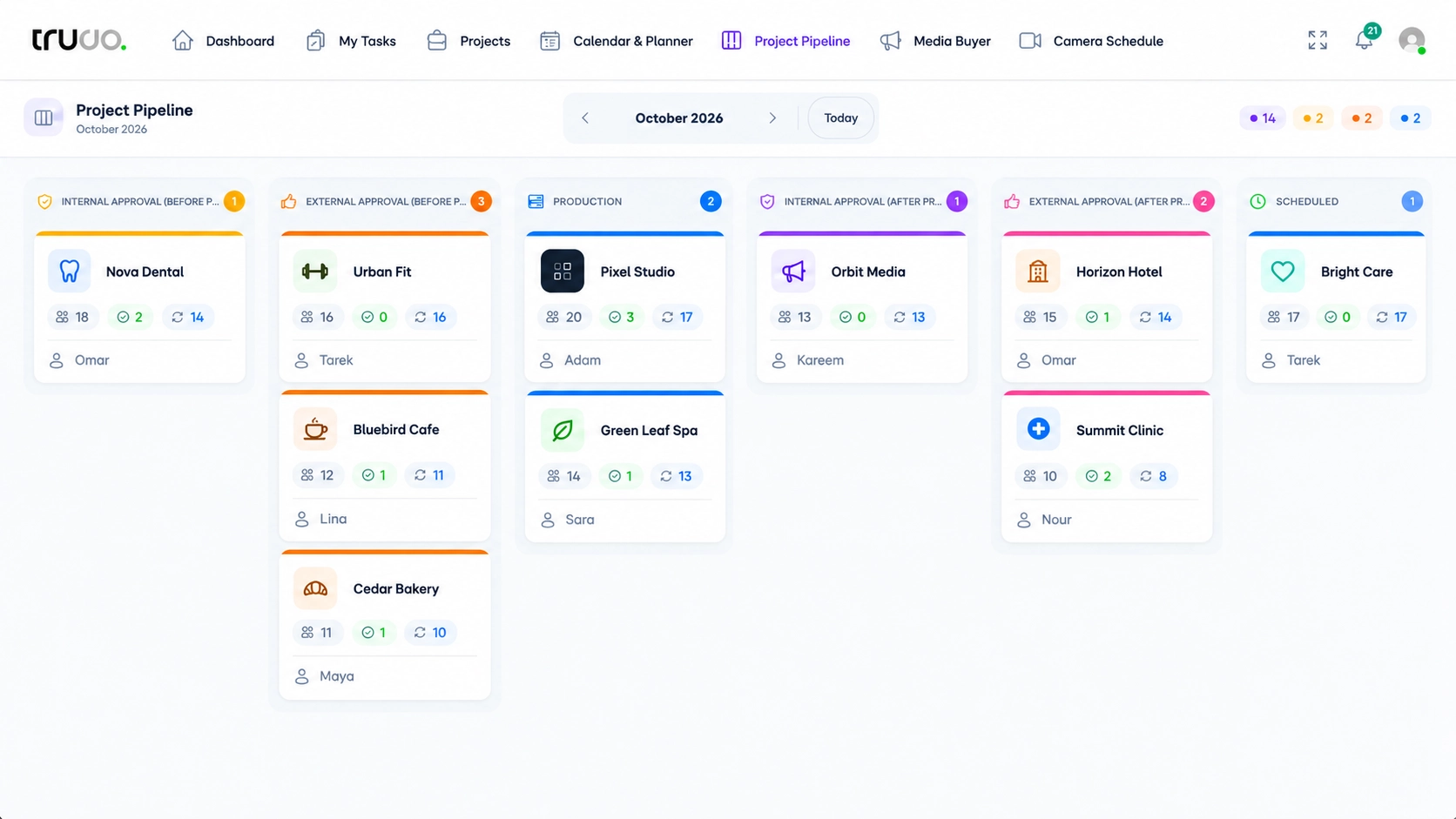
See every client's stage, without asking
A board that shows where each client is in this month's content cycle, from writing the calendar to publishing, with approval gates on both sides of production.
- Eight colour-coded stages
- Total, ready and in-progress counts per client
- Drag a client to the next stage when the work moves on
Planning
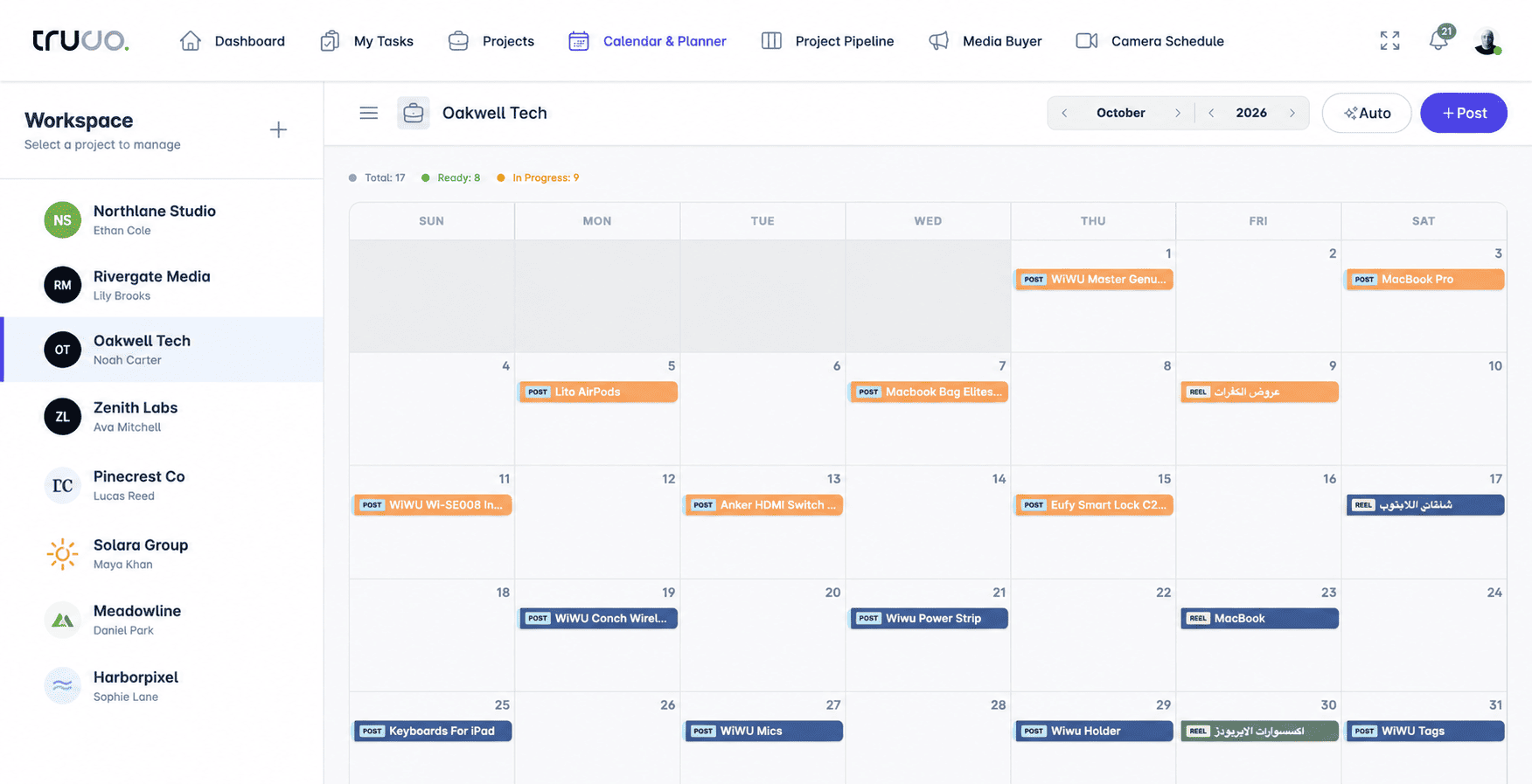
A calendar that shows the whole month
Plan the month for each client and see at a glance what is ready and what is still in progress.
- Posts and reels colour-coded by type
- Total, Ready and In Progress counts on every client
- Jump between clients and months
Production
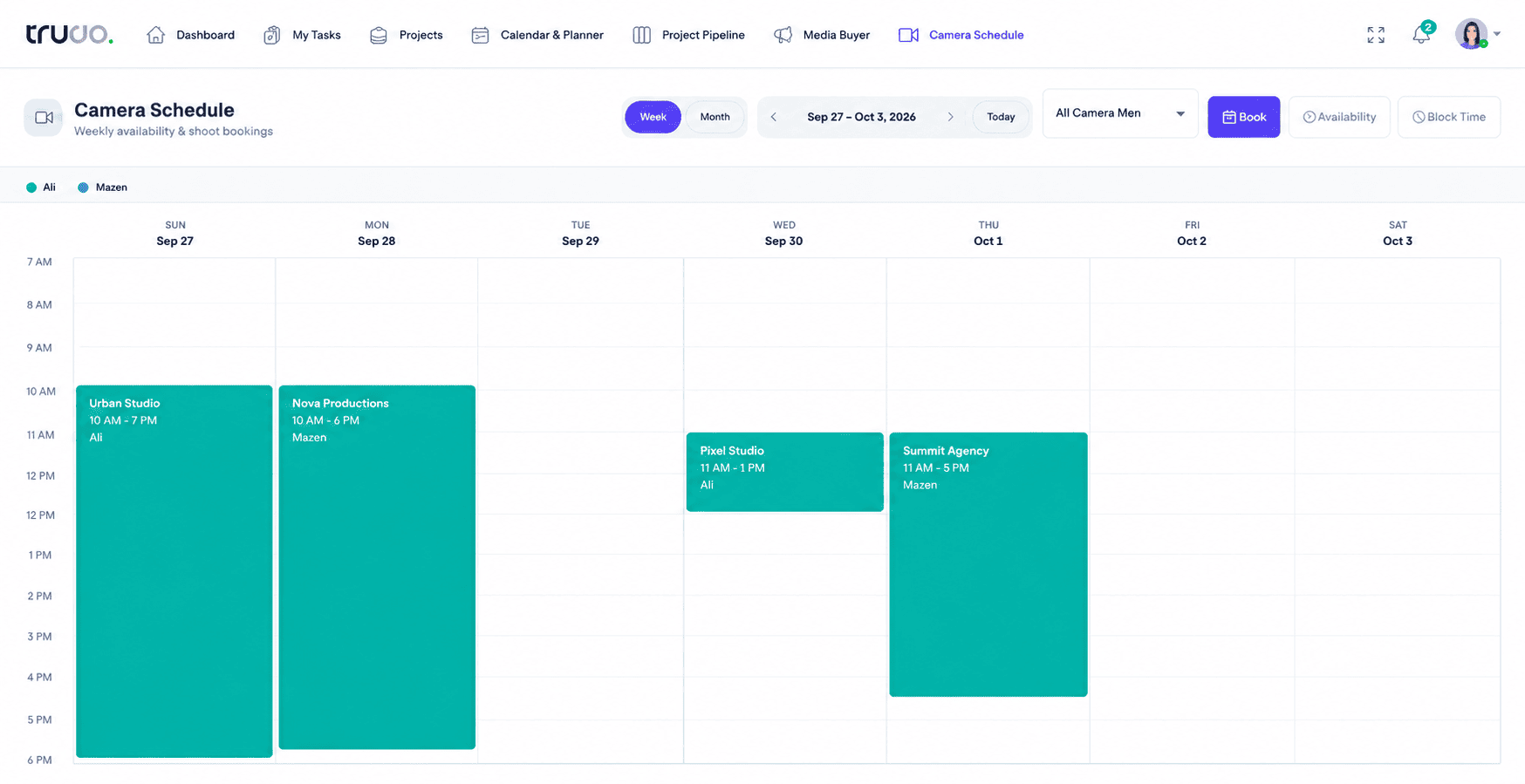
Shoots booked, crews never double-booked
Book shoots and manage camera operators' availability on a weekly or monthly view, so clashes are caught before shoot day.
- Book, set availability or block time
- Filter by camera operator
- Week and month views
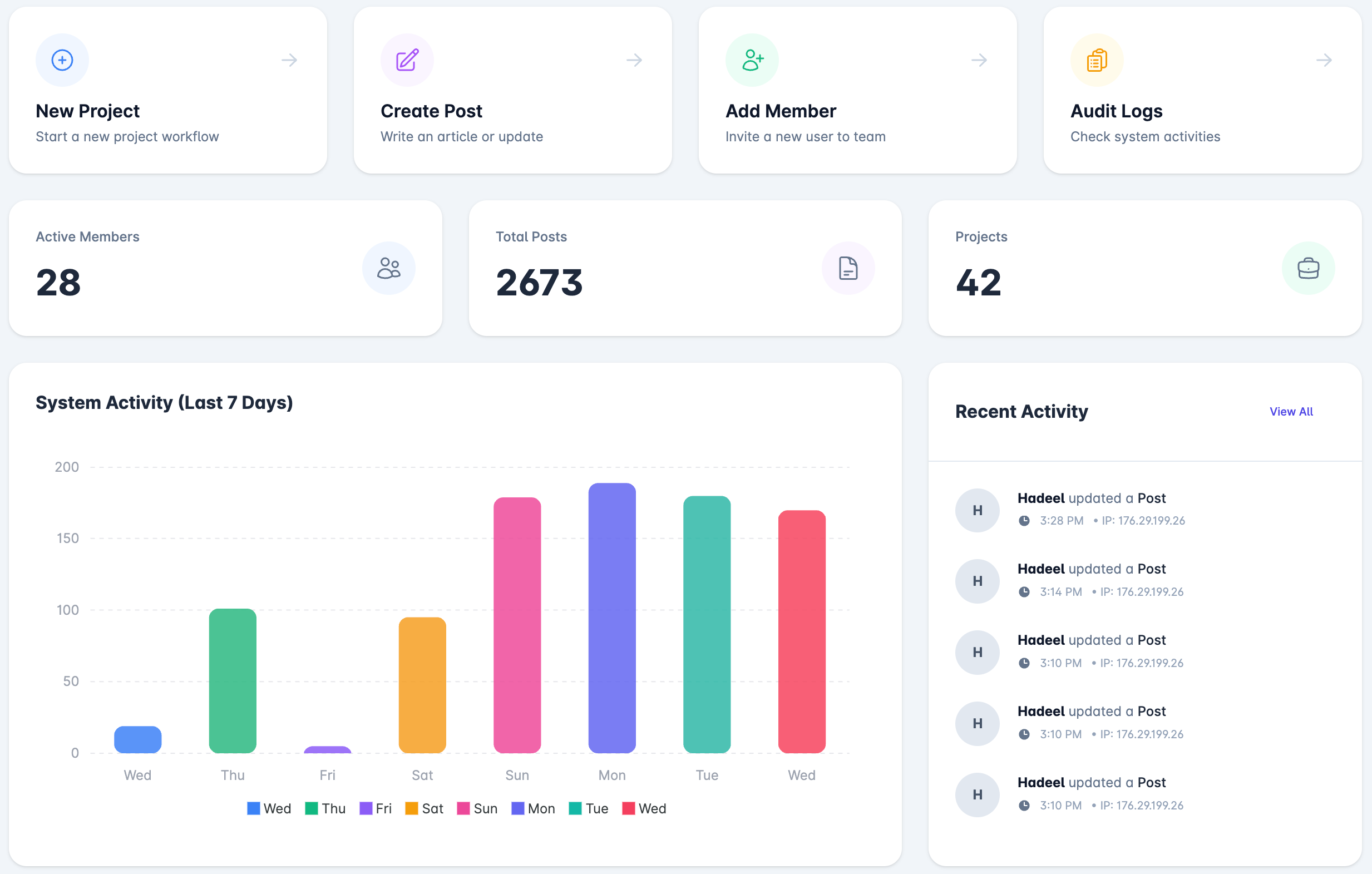
Overview
The whole agency at a glance
A live picture of team activity, with a record of who created or updated what and when.
- Seven-day activity chart
- Recent activity feed
- Quick actions to start a project, post or member
Focus
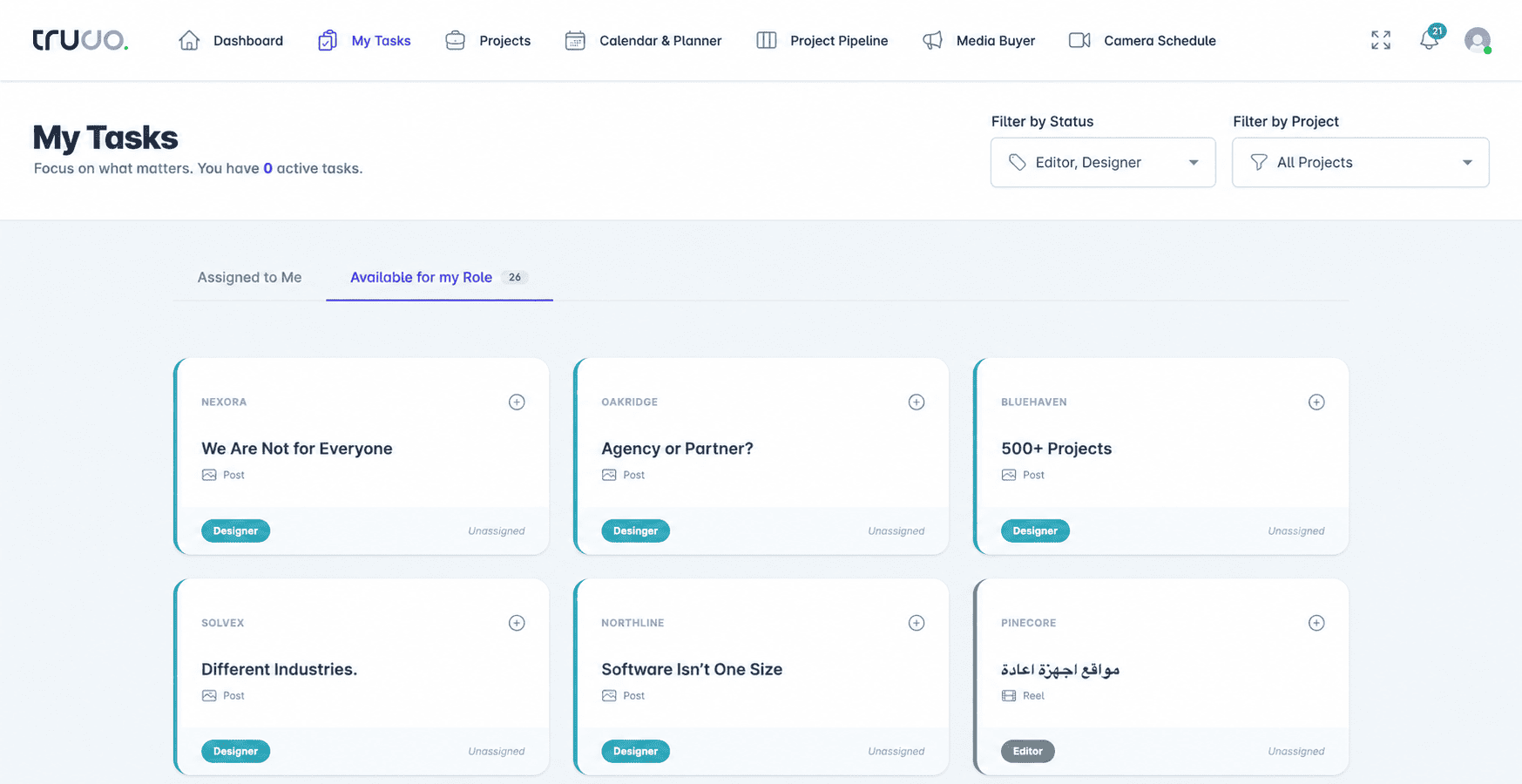
A personal list for every teammate
Each team member sees what needs their attention, plus open tasks that match their role, so priorities are clear without a stand-up.
- "Assigned to me" and "Available for my role" tabs
- Filter by status or by project
- Notifications when work is assigned to you
Paid
Paid campaigns next to the organic plan
Each client shows what is running, on which platform and with what budget, so paid and organic never drift apart.
- Campaigns by platform, status and objective
- Budgets tracked per client
- An owner on every campaign
Media buyer
Want to see it in action?
We'll show you each module using a workflow that looks like yours.